
Installing the sl8 app on your device
Android APK installation
Android users download the sl8 APK directly from our registration page. Once downloaded, open your file manager, locate the APK file, and tap to install. Your device may prompt you to allow installation from unknown sources—this is normal for apps outside the Google Play Store. Navigate to Settings → Security → Unknown sources and toggle the switch on. Return to your file manager and complete the installation. The sl8 app then appears on your home screen.
After installation, open the app, sign in with your username and password, and you are ready to browse our game catalog. Your first login may require a verification code sent to your registered email or mobile number. Android 7 and later are supported. The app occupies minimal storage and works on slower network connections thanks to our offline-cache feature, which pre-loads game categories and betting lines.

iOS browser access
iOS users do not need to download an app. Open your Safari or Chrome browser, visit sl8.bet, and log in with your account credentials. Our responsive design automatically adapts to your iPhone or iPad screen size. You can save sl8 to your home screen by tapping Share → Add to Home Screencreating a shortcut that behaves like an app. iOS 12 and later are supported.
Browser access on iOS is just as fast as an Android APK because we use the same payment integration and game API. Deposits via DANA, e-wallet, mobile banking, local payment, online payment, e-wallet, and bank transfer work identically. Push notifications arrive via your browser settings, alerting you to live-dealer table openings and Liga 1 match updates. Your account balance and transaction history sync in real time.
Web access on desktop and tablet
You can also access sl8 from a desktop or tablet browser. The same login credentials work across all devices. Desktop access suits longer gaming sessions and account management tasks, while mobile access prioritizes quick deposits and live-game tracking. Account verification, withdrawal requests, and payment-method changes can be completed on any device.
Installation walkthrough: four simple steps
- Download the sl8 APK (Android) or visit sl8.bet in your browser (iOS / desktop).
- Install the app or bookmark the site; sign in with your username and password.
- Complete any required verification (email or phone code confirmation).
- Add a payment method (mobile banking, local payment, online payment, e-wallet, mobile banking, local payment, or bank account) and make your first deposit.
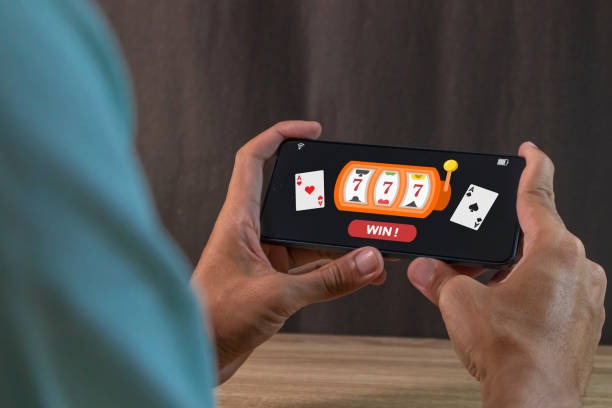
sl8 app versus browser: strengths of each
The sl8 Android APK offers offline caching, so game categories and betting lines load even before you connect to a network. Once you are online, the app syncs instantly. Push notifications arrive reliably for Liga 1 fixtures, live-dealer openings, and withdrawal confirmations. The app also prevents accidental browser back-button closes and provides a dedicated home screen icon for quick access. Browser access on iOS and desktop is simpler—no installation required—and works identically for deposits, withdrawals, and game selection. Choose the Android app if you prefer a persistent home screen shortcut and offline browsing; choose browser access if you want to avoid installation or switch devices frequently.
Common installation issues and how we help
If the Android installer fails, verify that your device allows installation from unknown sources (check Settings → Security). If your phone shows a certificate warning, this is normal for apps outside the Play Store—tap "Install anyway" to proceed. If the app crashes after opening, clear your app cache via Settings → Apps → sl8 → Storage → Clear cache and restart. On iOS, if the browser shortcut does not work, delete it and recreate it using Share → Add to Home Screen again. If you encounter a blank login page, force-close your browser and clear cookies (Settings → Safari → Clear History and Website Data). Network timeouts are rare but can occur on unstable WiFi—switch to mobile data or move closer to your router.
Data, permissions, and account security on sl8
Our sl8 app requests permission to access your phone's internet connection, camera (for photo ID verification during KYC), and device storage (for APK installation on Android). We do not access your location, contacts, or calendar. Your account credentials are encrypted and stored locally on your device, not on our servers. When you log in, your session token is transmitted over HTTPS, a secure protocol. We do not share your personal data with third parties except to process your deposits and withdrawals. If you lose your phone, log in from another device and change your password immediately. We recommend enabling two-factor authentication in your account settings to add an extra security layer. Your balance is protected by our standard account-verification practices and is never at risk even if your device is compromised.
- Android APK
- Download from our registration page, enable unknown sources, install in seconds. Requires Android 7+.
- iOS browser
- No app needed—open sl8.bet in Safari or Chrome. Save to home screen for quick access. Requires iOS 12+.
- Desktop and tablet
- Visit sl8.bet in any browser. Same account, full feature access, ideal for longer sessions.
- Offline caching
- Android app pre-loads game info and betting lines. iOS and browser cache via your browser settings.